Up
Using a batch file with TextPipe
What is a batch file?
A file that contains a sequence, or batch, of commands. Batch files are useful for storing sets of commands that are always executed together because you can simply enter the name of the batch file instead of entering each command individually.
In DOS systems, batch files end with a .BAT extension.
How to make a batch file to use with TextPipe
- Open Windows Notepad
- Type textpipe.exe and the parameters
you wish to use. For example:
"C:\Program Files\TextPipe\textpipe.exe" "/f=C:\Program Files\TextPipe\MyFilter.fll" /g /qYou may add any additional parameters you need.
- Save the file in the directory where you installed
TextPipe and name it filename.bat. NOTE: Make sure
you change the file type to "All files" on the dropdown
directly below the edit box where you enter the filename:

Using the batch file
Once you have created a batch file, open an MS-DOS prompt and change your directory to the TextPipe directory or the directory where your batch file was saved.
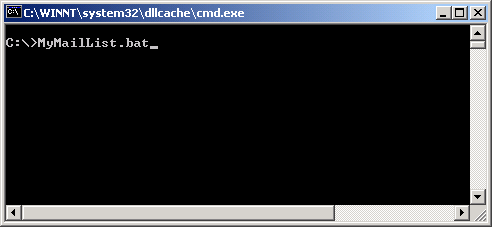
Type in the name of the batch file and press the "Enter/Return" key: